 MetadataViewer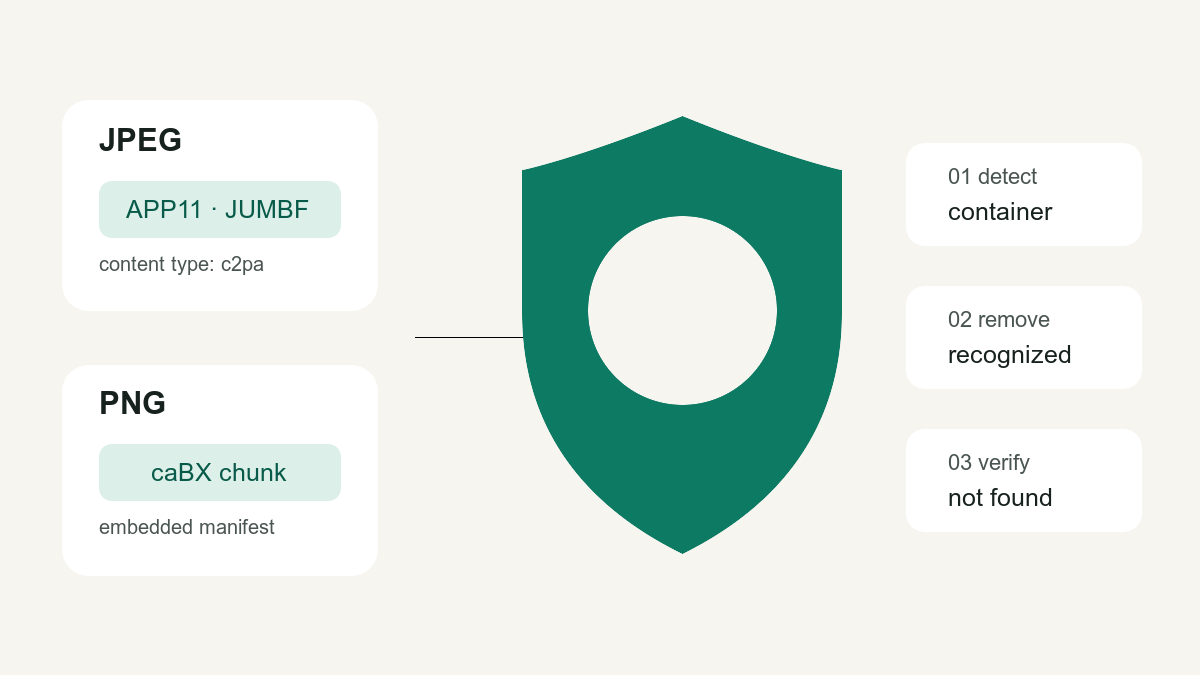
C2PA Content Credentials are cryptographically signed provenance records embedded in or associated with media. They are different from ordinary EXIF camera fields and different again from pixel-level watermarks. This site can now detect and remove the standardized embedded C2PA container in JPEG and PNG files, locally in your browser.
What the detector actually checks
The implementation follows the C2PA technical specification and cross-checks behavior against the official contentauth/c2pa-rs reference implementation:
| Image format | C2PA storage checked | Removal behavior |
|---|---|---|
| JPEG / JPG | JPEG XT APP11 segments whose JUMBF description identifies the c2pa content type, plus matching continuation segments | Only recognized C2PA APP11 parts are removed; unrelated APP11 segments are preserved |
| PNG | The standardized caBX chunk | The complete caBX chunk is removed |
| WebP, HEIC, AVIF, TIFF | Not checked for C2PA by this browser tool | No C2PA-removal claim is made |
The result says container detected, not signature valid. This tool does not validate the COSE signature, signing certificate, trust list, assertion history or remote manifest. For an authenticity decision, use a full cryptographic C2PA validator.
How to check an image for Content Credentials
- Open the image metadata viewer.
- Drop a JPEG or PNG file. Nothing is uploaded.
- Read the dedicated Content Credentials (C2PA) section. It reports the container type, part count and byte size.
The same result may also show EXIF, XMP or IPTC fields. Those are separate metadata families: an image can contain any combination of them.
How to remove C2PA metadata and verify it
- Open the photo metadata remover and drop the original JPEG or PNG.
- Confirm that the viewer reports a C2PA container before cleaning.
- Click Remove metadata & download clean copy. The status message reports how many APP11 parts or
caBXchunks were removed. - Drop the downloaded
-cleanfile back into the viewer. The C2PA section should now say no manifest container was found.
JPEG cleaning leaves non-C2PA APP11 data and the ICC colour profile in place. PNG cleaning preserves image data and display-density chunks. The image stream is not re-encoded for either format.
Verification method used for this release
The byte parser has automated regression cases for multi-part JPEG manifests, unrelated APP11 data, PNG caBX chunks and ordinary files with no C2PA container. Release checks also use C2PA files from the official contentauth/c2pa-rs fixture set: detection must be positive before cleaning and negative after cleaning.
Important limits
- “No container found” does not prove that an image is camera-original or human-made.
- Removing metadata does not remove pixel watermarks or visual traces.
- Credentials may also be stored remotely; an embedded-container detector cannot discover every remote reference.
- Removing provenance may conflict with a platform, client or legal disclosure requirement. Clean only files you are authorized to modify and disclose synthetic content where required.
For a safe workflow, inspect first, preserve the original, remove only when appropriate, then re-check the downloaded copy.